Competitor analysis that surfaces shared keywords and gaps
Add the apps you compete with and see where you overlap — and where the opportunities are.
What competitor analysis does here
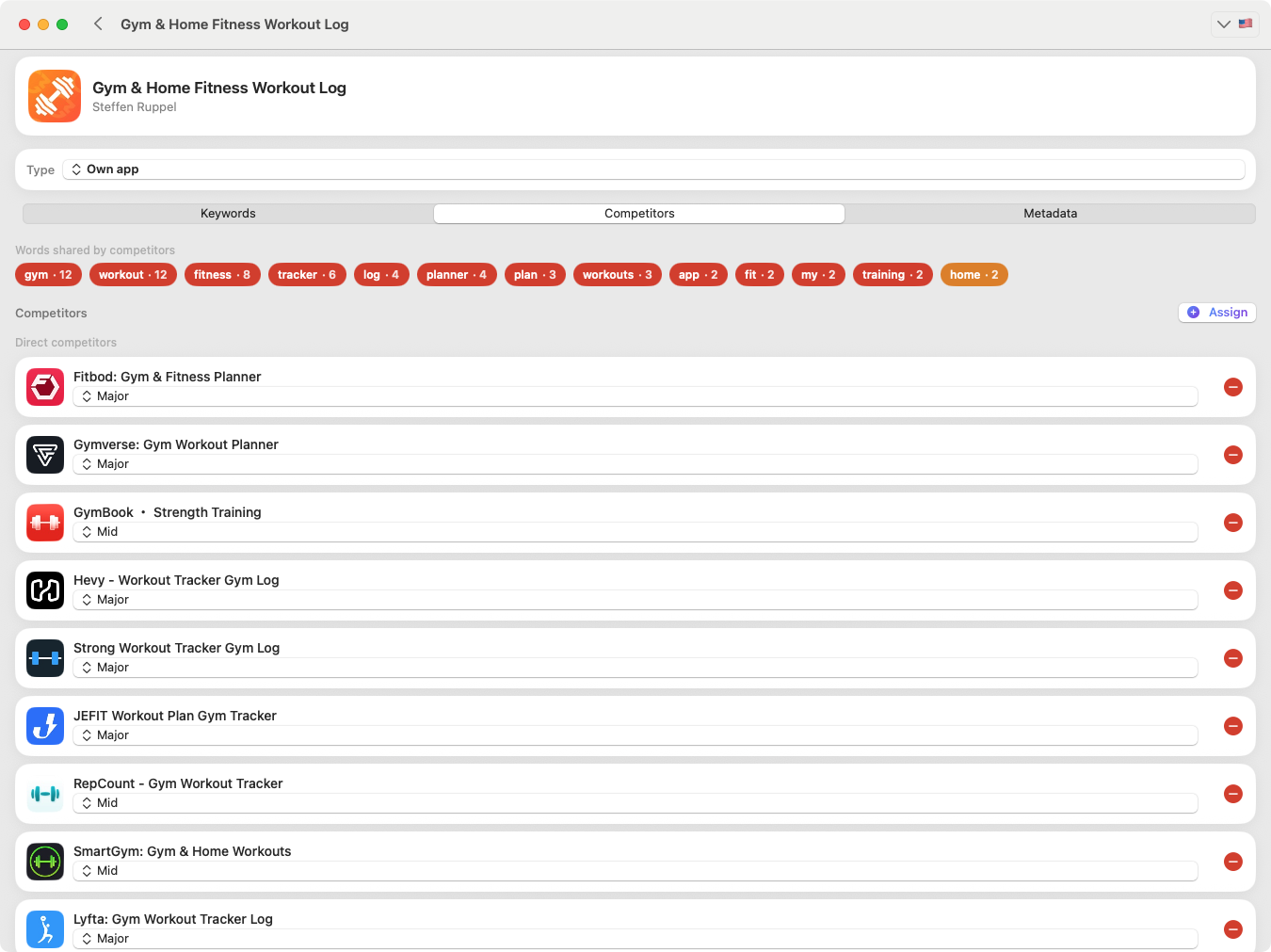
Competitor analysis in KWRDS lets you add competitors to your app and compare them. You can label each competitor as direct or similar, and KWRDS helps you see the common ground — shared keywords, relevant segments and thematic overlap — between your app and the competitors you assign to it.
Why it helps
- See the keywords you already share with a competitor.
- Spot relevant market segments and thematic overlaps you might be missing.
- Identify new keyword opportunities and possible optimisation angles.
- Keep direct and similar competitors clearly separated for a focused comparison.
How it works
- 1
Add competitors
Assign the apps you compete with to your own app.
- 2
Label them
Mark each as a direct competitor or a similar competitor.
- 3
Compare
KWRDS highlights shared keywords and thematic overlap between you and them.
- 4
Find openings
Use the overlaps and gaps to shape your keyword and metadata decisions.
A realistic example
You mark “Peak Fitness” as a direct competitor and “Calm Habits” as similar. KWRDS shows you share 28 keywords with Peak Fitness and surfaces terms you do not yet target, like “hiit timer” or “strength log” — candidates for your research and metadata.
Good to know
Competitor analysis helps you recognise overlaps and opportunities between your app and the competitors you assign. It works with the apps and labels you set up — it does not invent verdicts beyond the comparisons you create.
FAQ
What is the difference between direct and similar competitors?
You can label competitors as direct or similar. Direct competitors target essentially the same use case and audience as your app; similar competitors overlap thematically or in some segments without being a head-to-head alternative. The labels help you focus the comparison and spot shared keywords and opportunities.
Related
Ready to optimise your keywords?
Download KWRDS and use keyword tracking, research, competitors and metadata in one native Apple app.
For iPhone, iPad and Mac. Apple App Store only.