App Store keyword tracking across countries and storefronts
Follow how your apps rank for the keywords that matter — and compare positions across markets in one place.
What App Store keyword tracking is
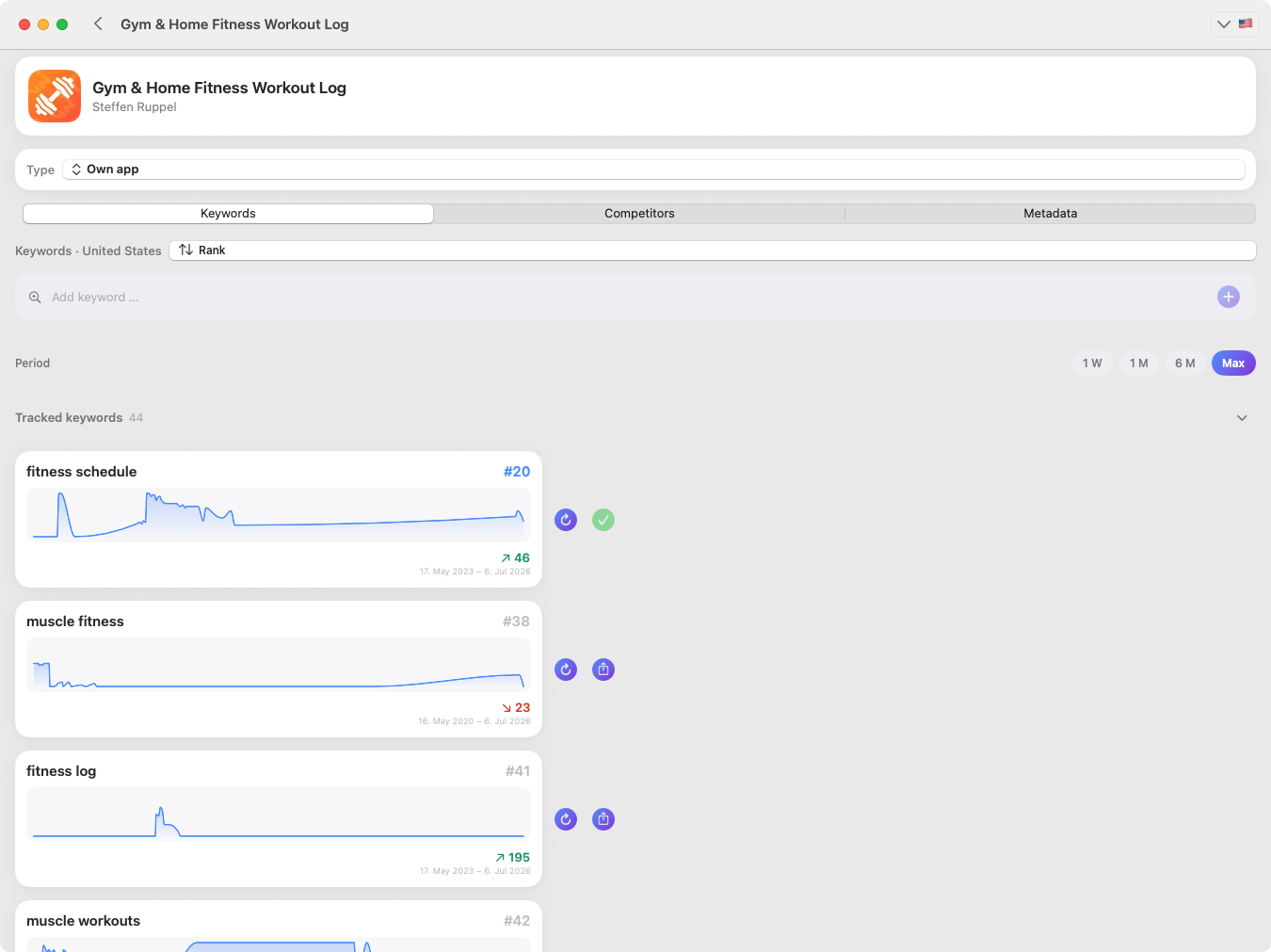
Keyword tracking means following the position your app holds in Apple App Store search results for specific keywords, over time. In KWRDS you track keywords per app across different countries and storefronts, update their rankings inside the app, and analyse how positions change.
Why it helps
- See your current keyword positions and how they move week to week.
- Spot new opportunities and possible drops before they cost you installs.
- Compare the same keyword across countries and storefronts to find where you are strong or weak.
- Keep every keyword organised per app, so a portfolio stays manageable.
How it works
- 1
Add your keywords
Choose the keywords you want to follow for an app and the countries or storefronts that matter to you.
- 2
Update rankings in KWRDS
Refresh the rankings inside the app to retrieve current positions for your tracked keywords.
- 3
Review changes
Read the latest positions, the change versus before, and the differences between markets.
- 4
Act on what you see
Use gains and drops to guide your metadata and research decisions.
A realistic example
Your fitness app ranks #7 for “fitness tracker” in the United States (up 4 places) but only #23 for “home workout” in Germany (down 5). The country comparison makes it obvious where to focus next — and the keyword field you plan in the metadata editor is where you act on it.
Good to know
Rankings are updated when you refresh them inside KWRDS — they are not updated automatically in the background today. The number of keywords you can actively track can depend on your plan. This tracking limit is separate from the metadata editor, where keywords are not limited.
FAQ
How are keyword rankings updated?
You update and review keyword rankings directly inside KWRDS. When you refresh, the app retrieves the current positions for your tracked keywords so you can analyse them and compare changes over time.
Are rankings updated automatically?
No. Rankings are not updated automatically in the background today — you refresh them in the app when you want current data. Automatic, server-side updates may be added in the future.
Can I track keywords in several countries?
Yes. You can track keywords across different countries and Apple App Store storefronts, and compare positions and changes between them.
Is there a limit on tracked keywords?
The number of actively tracked ranking keywords can be limited depending on the product scope or plan. This limit applies only to ranking tracking.
Related
Ready to optimise your keywords?
Download KWRDS and use keyword tracking, research, competitors and metadata in one native Apple app.
For iPhone, iPad and Mac. Apple App Store only.